
QR Safety · UK construction

Free RAMS Builder
for UK Construction

Create Risk Assessments and Method Statements for your job, totally free, built on a hazard library written by qualified health and safety professionals, not generic AI text.

  • Create totally free
  • Written by H&S professionals
  • No account required
  • PDF & Word downloads
Build with AI

Written by safety professionals. Your RAMS ready in minutes, on site or in the office.

Why it is different

The expertise behind the RAMS Builder

Not another generic AI document generator. Every hazard and control in this builder comes from a library written by people who do this for a living.

Developed using the combined knowledge and practical experience of qualified health and safety consultants from Simple Safety Advice Group, the QR Safety RAMS Builder brings professional expertise into an accessible digital tool.

It helps users prepare structured, project-specific risk assessments and method statements, while keeping competent-person review and approval at the centre of the process.

More about QR Safety

No saved RAMS yet. Start one above and it will appear here.

No templates yet. Save a RAMS from the list beside as a starting point for repeat jobs.

See it in action

Your RAMS, built on your phone

Watch the free RAMS Builder in action. Start a document on site, pick your hazards from a professionally written library and download a branded PDF or Word file in minutes.

  • Nothing to install. It runs in the browser.
  • Hazards and controls written by qualified H&S professionals.
  • PDF & Word downloads straight from your phone.

See how easy it is to use

A full RAMS in the time it takes to make a brew

Watch how quick it is: pick your trade, choose your hazards from the professionally written library and download a branded PDF or Word file before the kettle boils. Every document stays fully editable, so you can tailor the wording to the job. Tap the speaker to switch the sound on.

How it works

Three simple steps to your RAMS

Tap any step to start building your RAMS.

  1. 1. Describe your job

    Add your project, site and the work you’re doing.

  2. 2. Choose & review

    Select hazards, check controls and tailor the draft.

  3. 3. Download your RAMS

    Export a branded PDF or editable Word document.

On site or at your desk: phone, tablet or computer.

View the step-by-step guide

Completed RAMS must be reviewed, adapted and approved by a competent person before use.

Give feedback to help us improve

Tell us what's working, what isn't, or what you'd like the RAMS builder to do next. Only the feedback box needs filling in.

Your rating (optional):

Leave your email only if you're happy for QR Safety to reply about your feedback.

About the builder

A free RAMS builder for UK construction

The QR Safety RAMS Builder is a free online RAMS generator. It helps competent people put together project-specific Risk Assessments and Method Statements on site, straight from a phone, tablet or computer. There is nothing to install and no account needed.

Unlike generic AI RAMS generators, the hazards and controls behind this builder were written by qualified health and safety consultants. AI is only an optional drafting helper, never the source of the safety content.

What are RAMS?

RAMS stands for Risk Assessment and Method Statement. The risk assessment sets out the hazards involved in the work, who could be harmed, and the controls that reduce the risk. The method statement explains, step by step, how the job will actually be carried out safely. On UK construction sites they are usually asked for by the client or principal contractor before work starts, and they need to describe your specific job rather than work in general.

How the free RAMS Builder works

  1. Start a blank RAMS, or begin from one of your own saved templates.
  2. Add the project, site and company details, including your brand colour.
  3. Describe the work and the sequence of works: type it, dictate it, or edit an AI draft.
  4. Choose the activities that apply, grouped by trade, and review every hazard and control.
  5. Add PPE, COSHH, manual handling and emergency arrangements.
  6. Check the review summary, then export a PDF or editable Word document.

The full walkthrough is in the step-by-step guide.

What can be included in the document

  • Project, client, contractor and preparation details.
  • Description of works and a numbered sequence of works.
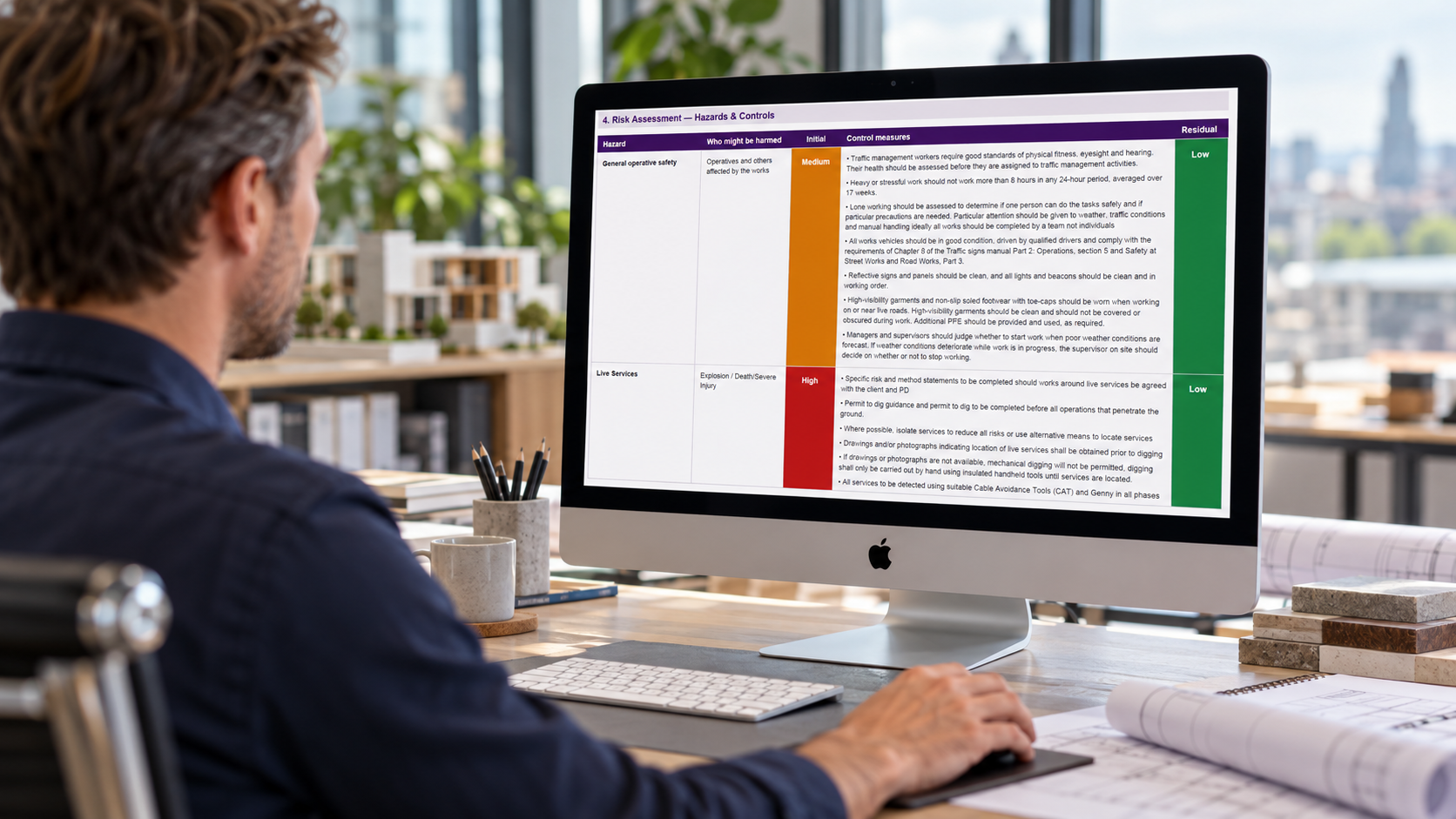
  • Hazards from the trade-grouped library, with controls and risk ratings before and after controls.
  • Your own custom hazards for anything the library does not cover.
  • COSHH assessments, with safety data sheets attached.
  • Manual handling assessments for the loads involved.
  • PPE requirements, shown with the mandatory symbols.
  • Emergency arrangements, first aider and the nearest A&E with a map.
  • Your company branding and colour, plus a review and acceptance section.

Professional content, optional AI drafting

You can build the whole document by hand. The hazard library, custom hazards and method statement are all available without using AI at all, and the library content is written by safety professionals rather than generated by AI. If you would rather start faster, the AI tools can draft the sequence of works, suggest activities and PPE, pull the key details out of a safety data sheet, or build a draft RAMS from a job brief. AI output is only ever a first draft for you to correct and complete.

Reviewing, exporting and reusing RAMS

The review step shows what is complete and what still needs attention, and links back to anything missing. When the document is right, export it as a branded PDF or an editable Word file. You can duplicate a RAMS for a similar job or save it as a template for repeat work. Reused documents still need reviewing and adapting for the new job, site and team. Completed RAMS must be reviewed, adapted and approved by a competent person before use.

More from QR Safety

Take all your site safety paper-free

QR Safety Go puts your inductions, inspections, permits and checks on one app. Scan a QR code on site, fill in the form on a phone, and see every record live from the office.

Discover QR Safety Go
  • QR code access

    Operatives scan and go. No logins or paperwork on site.

  • Tailored forms

    Your checks, permits and inductions, built around how you work.

  • Live dashboards

    See what has been done, and what is overdue, at a glance.

  • Audit-ready records

    Every record stored, searchable and ready to share.

Frequently asked questions

Is the RAMS Builder free?
Yes. Building a RAMS and downloading it as a PDF or Word document is free. Giving us your email address is optional and never blocks the builder.
Do I need an account?
No. You can open the builder and start straight away. There is no sign-up, login or paywall.
Can I download RAMS as Word and PDF?
Yes. From the Review step you can export a branded PDF or an editable Word (.docx) document, so you can make further changes in Word if you need to.
Can I add my company branding?
Yes. You can set your company details and pick your primary business colour, which is applied to the exported documents.
Is this just another AI-written RAMS generator?
No. The hazard library and controls behind the builder were written by qualified health and safety consultants from Simple Safety Advice Group, not generated by AI. The AI tools are optional helpers that only ever produce a first draft for you to correct and complete.
Can I create RAMS without AI?
Yes. The manual builder is the main route: you choose activities from the hazard library, add your own custom hazards and write the method statement yourself. The AI tools are optional helpers.
Where are my saved RAMS stored?
Saved RAMS and templates are kept in your browser on the device you used, so they are not visible on your other devices and will be lost if you clear your browser data. Export a PDF or Word copy to keep a permanent record. Note that AI drafting and uploaded documents are processed on our servers to produce the text, and usage statistics (not document contents) are recorded.
Can I reuse a previous RAMS?
Yes. You can duplicate an existing RAMS or save one as a template for repeat work. Any reused document still has to be reviewed and adapted for the new job, site and team before it is used.
Who needs to review the completed document?
A competent person must review, adapt and approve the finished RAMS before work starts. The builder helps you prepare the document; it does not approve the work or confirm compliance.

Ready to build your RAMS?

Free, no account needed, and ready to download in minutes.

Build with AI

Saved RAMS are stored in this browser on this device only.